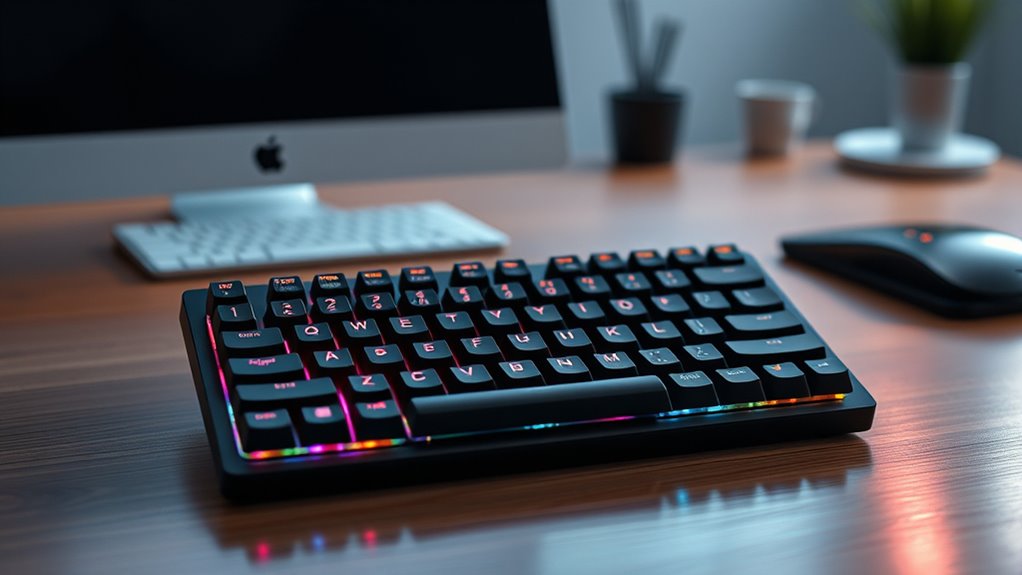

If you’re searching for the best compact mechanical keyboards in 2025, I’ve got you covered. There are excellent options like the Redragon K673 PRO for wireless gaming, the MageGee 60% for portability, and the Logitech G413 TKL for durability. From hot-swappable switches to RGB lighting and versatile connectivity, these keyboards suit every style. Stay with me to explore each model’s features, helping you find the perfect fit effortlessly.
Key Takeaways
- Compact layouts like 60%, 65%, and TKL maximize desk space while offering essential keys for versatile use.
- Features such as gasket mounting, sound-absorbing foam, and durable materials improve typing comfort and noise reduction.
- Connectivity options include wired, Bluetooth, and 2.4GHz wireless, supporting multi-device compatibility and seamless switching.
- Customizable RGB lighting, switch types, and macro functions enhance personalization for different user preferences.
- High-quality options offer durability, reliable performance, and aesthetic appeal suitable for gaming, work, and everyday typing.
Redragon K673 PRO Wireless Mechanical Gaming Keyboard

If you’re looking for a compact keyboard that doesn’t compromise on performance or versatility, the Redragon K673 PRO Wireless Mechanical Gaming Keyboard is an excellent choice. Its gasket-out construction reduces noise and adds flexibility, while the sturdy baseplate guarantees durability. The 75% layout offers essential keys and larger mouse space, perfect for limited desk areas. The rounded, soft-textured keycaps look great and feel comfortable. Equipped with linear Thoccy-like red switches, it delivers smooth, quiet typing. With tri-mode connectivity—USB-C, Bluetooth, and 2.4GHz wireless—you can switch seamlessly between devices. The multifunctional control knob and RGB lighting enhance usability, making this keyboard a smart, portable option.
Best For: gamers and professionals seeking a compact, versatile wireless mechanical keyboard with excellent noise reduction and multi-device connectivity.
Pros:
- Innovative gasket-out construction significantly reduces noise and enhances flexibility
- Supports tri-mode connectivity (USB-C, Bluetooth, 2.4GHz) for seamless device switching
- Compact 75% layout with large mouse space and attractive, soft-textured keycaps
Cons:
- Mode switching can be tricky, with a middle-off position that may cause accidental changes
- Limited customization options for RGB rainbow patterns in the software
- Short sleep timer and cleaning can be inconvenient for some users
MageGee Portable 60% Mechanical Gaming Keyboard (MK-Box, Grey/Black)

The MageGee Portable 60% Mechanical Gaming Keyboard (MK-Box, Grey/Black) stands out as an ideal choice for gamers and professionals who need a compact, portable keyboard without sacrificing performance. Its 68-key layout packs essential functions into a small form factor, making it easy to carry and set up anywhere. The mechanical blue switches deliver satisfying tactile feedback and loud clicks, perfect for typing and gaming. With customizable blue LED backlighting and multiple lighting modes, you can personalize your setup. Its plug-and-play design ensures compatibility across Windows, Linux, and Mac, while features like anti-ghosting and a detachable USB cable add convenience and reliability.
Best For: gamers and professionals seeking a compact, portable mechanical keyboard with customizable lighting and reliable performance across multiple operating systems.
Pros:
- Compact 68-key layout ideal for portability and space-saving setups
- Mechanical blue switches providing tactile feedback and loud click sounds for an immersive experience
- Customizable blue LED backlighting with multiple modes for personalized aesthetics
Cons:
- Limited number of keys may require additional peripherals for full functionality
- Loud blue switches might be disruptive in quiet environments
- The small size could be less comfortable for prolonged typing sessions
Wireless Mechanical Keyboard, 75% Compact RGB Backlit with Gasket Mount, Hot Swappable, Bluetooth/2.4GHz/USB-C for Gaming and Typing

For gamers and professionals who need reliable, versatile connectivity, this wireless mechanical keyboard stands out with its tri-mode support—Bluetooth 5.0, 2.4GHz wireless, and wired USB-C. Its 4000mAh battery guarantees up to a week of use, making it perfect for long sessions. The gasket-mounted design with sound-absorbing foam delivers a rich, “thocky” sound and consistent keystrokes. Its 75% layout saves space while maintaining essential keys, and hot-swappable switches allow easy customization. Compatible with Windows, Mac, and PC, it offers RGB lighting with multiple effects, making it a stylish, functional choice for both gaming and everyday typing.
Best For: gamers and professionals seeking a versatile, space-saving wireless mechanical keyboard with customizable features and long battery life.
Pros:
- Tri-mode connectivity (Bluetooth 5.0, 2.4GHz, USB-C) for flexible device pairing
- Hot-swappable switches for easy customization without soldering
- Sound-absorbing gasket mount design delivers satisfying “thocky” sound and consistent keystrokes
Cons:
- May require an adjustment period for new users due to layout familiarity
- Linux users might experience abnormal F-zone functions because of driver incompatibility
- Slightly limited to 75% layout, which might not suit users needing full-sized keys
DIERYA T68SE 60% Gaming Mechanical Keyboard
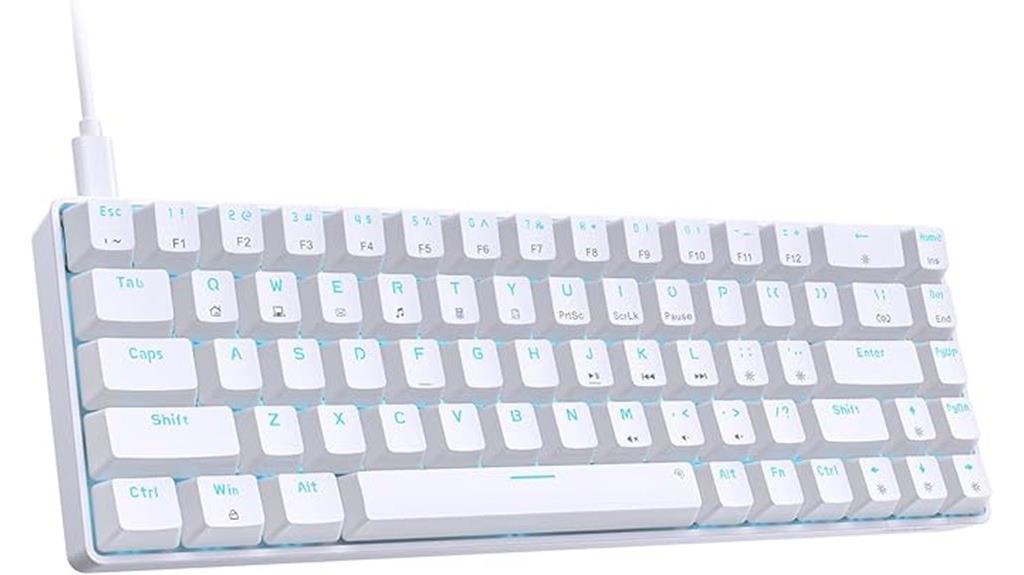
Designed for gamers and typists who prioritize space efficiency without sacrificing functionality, the DIERYA T68SE 60% gaming mechanical keyboard delivers a compact yet full-featured experience. Its 68-key layout saves space while including dedicated arrow and Delete keys, maintaining essential functions. The wired Type-C connection offers stable transmission, perfect for gaming or work. Equipped with quiet, smooth linear red switches, it provides soft feedback, making long sessions comfortable. Full anti-ghosting ensures all keys register simultaneously, enhancing efficiency. The classic blue LED backlight, with 19 customizable modes, adds style and visibility. Compatible with Windows, Linux, and Mac, it’s a versatile choice for any setup.
Best For: gamers and typists seeking a space-saving, full-featured mechanical keyboard for both work and gaming environments.
Pros:
- Compact 68-key layout with dedicated arrow and Delete keys for full functionality in a small form factor
- Smooth, quiet linear red switches ideal for long gaming or typing sessions
- Full anti-ghosting and customizable lighting modes enhance performance and aesthetics
Cons:
- Limited compatibility with Mac OS and Linux, requiring possible adjustments for full functionality
- The 68-key layout may lack some dedicated keys found on full-sized keyboards
- Wired connection via Type-C may reduce portability for some users who prefer wireless options
Logitech G413 TKL SE Mechanical Gaming Keyboard

If you’re looking for a compact keyboard that combines durability with high performance, the Logitech G413 TKL SE Mechanical Gaming Keyboard is an excellent choice. Its sleek black-brushed aluminum top case not only looks sharp but also adds strength, with minimal flex thanks to its aluminum-magnesium alloy build. The tenkeyless layout saves space without sacrificing functionality, and the tactile mechanical switches ensure precise input during fast-paced gaming. PBT keycaps resist heat and wear, guaranteeing longevity. White LED backlighting improves visibility in low light, while dedicated media keys offer quick control. Compatibility with Windows and macOS makes it versatile for both work and play.
Best For: gamers and users seeking a durable, space-saving mechanical keyboard with precise performance and sleek aesthetics.
Pros:
- Durable aluminum-magnesium alloy build with minimal flex for stability during intense gaming
- Tactile mechanical switches and PBT keycaps for high performance and long-lasting use
- Backlit white LED lighting and dedicated media keys enhance usability and style
Cons:
- Compact TKL layout may limit functionality for users needing a full-size keyboard
- Limited customization options compared to gaming-specific keyboards with programmable keys
- No dedicated wrist rest or additional ergonomic features
Redragon Wired Mechanical Gaming Keyboard with RGB Backlit

The Redragon Wired Mechanical Gaming Keyboard with RGB Backlit stands out with its compact 90% layout, packing 94 keys—including a numeric pad and essential function keys—into a space-saving design. It’s perfect for gaming and work, offering a balance of functionality and efficiency. The keyboard features 20 preset RGB effects with over 16.8 million colors, allowing you to personalize its appearance. Equipped with responsive red switches, it provides smooth, linear feedback ideal for fast-paced gaming. Fully programmable with macros and customizable lighting, it’s compatible with Windows and macOS. At just over a pound, it’s portable and highly rated, making it a versatile choice for any user.
Best For: gamers and professionals seeking a compact, customizable mechanical keyboard with vibrant RGB lighting for enhanced visibility and personalization.
Pros:
- Compact 90% layout saves space without sacrificing essential keys
- Bright RGB backlight with 20 preset effects and extensive color options
- Fully programmable with macros for increased efficiency and customization
Cons:
- May have a learning curve for users new to programmable keyboards
- Red switches can produce audible click sounds, which might be distracting in quiet environments
- Limited to wired connectivity, lacking wireless options
Keychron K3 Version 2 Mechanical Wireless Keyboard with White Backlit

For those seeking a sleek, portable wireless mechanical keyboard that doesn’t compromise on performance, the Keychron K3 Version 2 stands out as an excellent choice. Its ultra-slim, 75% layout combines a lightweight, reinforced aluminum body with a floating keycap design, creating a modern look. Weighing just 1.1 pounds, it’s easy to carry and stays stable during use. With Bluetooth 5.1 support for multi-device pairing and wired USB-C connectivity, switching is seamless. The low-profile switches, available in Brown or Blue, deliver fast, tactile feedback. White backlit keys add a touch of elegance without being distracting, making it perfect for work or casual typing on the go.
Best For: those seeking a portable, stylish, and reliable wireless mechanical keyboard suitable for work, gaming, and casual use across multiple devices.
Pros:
- Ultra-slim, lightweight design with a reinforced aluminum body for durability and portability
- Seamless multi-device Bluetooth 5.1 connectivity with quick switching and stable performance
- Responsive low-profile mechanical switches (Brown and Blue options) with tactile feedback and quiet operation
Cons:
- Limited to a 75% layout without a dedicated numeric keypad, which may not suit all users
- Some users experienced initial charging indicator issues despite solid battery life
- Minimal backlighting options, with only white LED brightness, which may not appeal to those seeking customizable RGB lighting
Newmen GM611 Mechanical Keyboard with Rainbow LED Backlit

Designed for gamers and on-the-go users, the Newmen GM611 Mechanical Keyboard stands out with its compact 60% layout and detachable data cable, making it highly portable without sacrificing functionality. Its black keycaps, crafted with double-color injection molding, ensure durable, luminous characters that stay vibrant over time. The keyboard features 19 rainbow LED backlight effects, with adjustable brightness and lighting speed, creating customizable visual environments. Equipped with N-key rollover and anti-ghosting tech, it guarantees accurate keystrokes during intense play. Additionally, software support allows for macro customization, enhancing both gaming and productivity. Overall, it combines portability, style, and high performance in a sleek design.
Best For: gamers and on-the-go users seeking a portable, high-performance mechanical keyboard with customizable lighting and reliable keystroke registration.
Pros:
- Compact 60% layout saves desk space and enhances portability
- 19 rainbow LED backlight effects with adjustable brightness and speed for a customizable visual experience
- Supports software customization for macros and key bindings, boosting productivity and gaming performance
Cons:
- Wired connection may limit mobility compared to wireless options
- Limited size may reduce some dedicated function keys and navigation controls
- Double-color injection keycaps could be more susceptible to wear over extended use
SteelSeries Apex 3 TKL RGB Gaming Keyboard
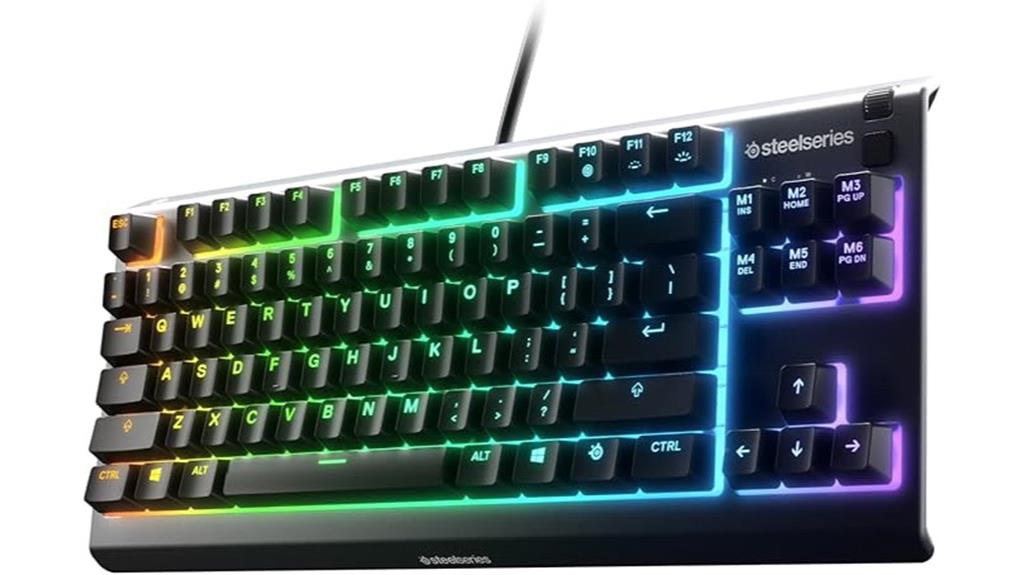
If you’re looking for a compact gaming keyboard that combines durability with customizable lighting, the SteelSeries Apex 3 TKL RGB is an excellent choice. Its tenkeyless design boosts comfort and allows flexible placement for better gameplay. The whisper-quiet gaming switches with anti-ghosting tech ensure accurate keystrokes during intense sessions. Built from durable, low-friction materials, it supports over 20 million keypresses for long-lasting performance. IP32 water and dust resistance safeguard against spills and debris. Plus, PrismSync RGB lighting offers millions of colors and effects, with reactive lighting and interactive lightshows to elevate your gaming experience.
Best For: gamers and content creators seeking a durable, compact keyboard with customizable RGB lighting for enhanced gameplay and comfort.
Pros:
- Compact tenkeyless design for better ergonomics and flexible positioning
- Whisper-quiet switches with anti-ghosting for accurate keystrokes during intense gaming sessions
- IP32 water and dust resistance for added durability and protection against spills
Cons:
- Limited dedicated macro keys due to its tenkeyless layout
- May require software updates or setup for advanced lighting customization
- Not compatible with some older or less common gaming consoles or operating systems
65% Gaming Keyboard, Wired Backlit Mini Keyboard
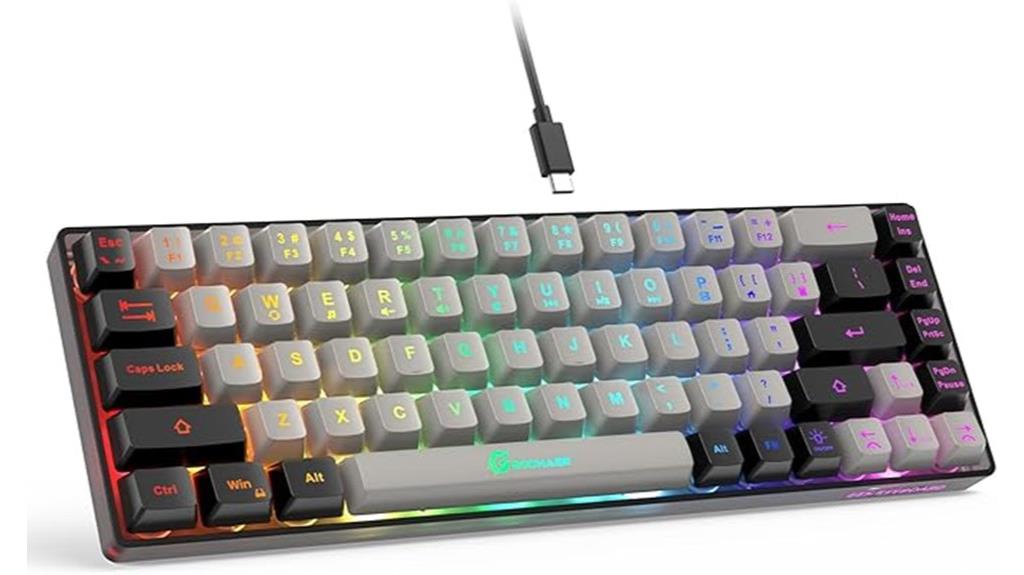
This wired backlit mini keyboard stands out as an excellent choice for gamers and office users who need a compact, reliable device without sacrificing functionality. Its 65% layout with 68 keys offers a sleek design, no numpad, and separate arrow keys, making it perfect for tight spaces. The black and silver keycap colors add a modern touch, while the lightweight build (1.21 pounds) ensures portability. With ergonomic keycaps and sturdy construction, it provides long-term comfort and durability. The wired Type-C connection ensures low latency, and the 11 media buttons enhance productivity. Vibrant LED backlighting with customizable modes makes it both practical and stylish for gaming and work.
Best For: gamers and office users seeking a compact, durable, and customizable backlit keyboard that maximizes desk space without sacrificing functionality.
Pros:
- Compact 65% layout with separate arrow keys, saving space and enhancing efficiency
- Vibrant LED backlighting with customizable modes and multiple media keys for quick access
- Durable construction with high lifespan, ergonomic keycaps, and lightweight portability
Cons:
- Limited lighting options, lacking RGB customization for some users
- Occasional reports of defects or warranty issues requiring after-sales support
- The membrane keys produce a quieter sound compared to true mechanical keyboards
Logitech MX Mechanical Mini Wireless Keyboard
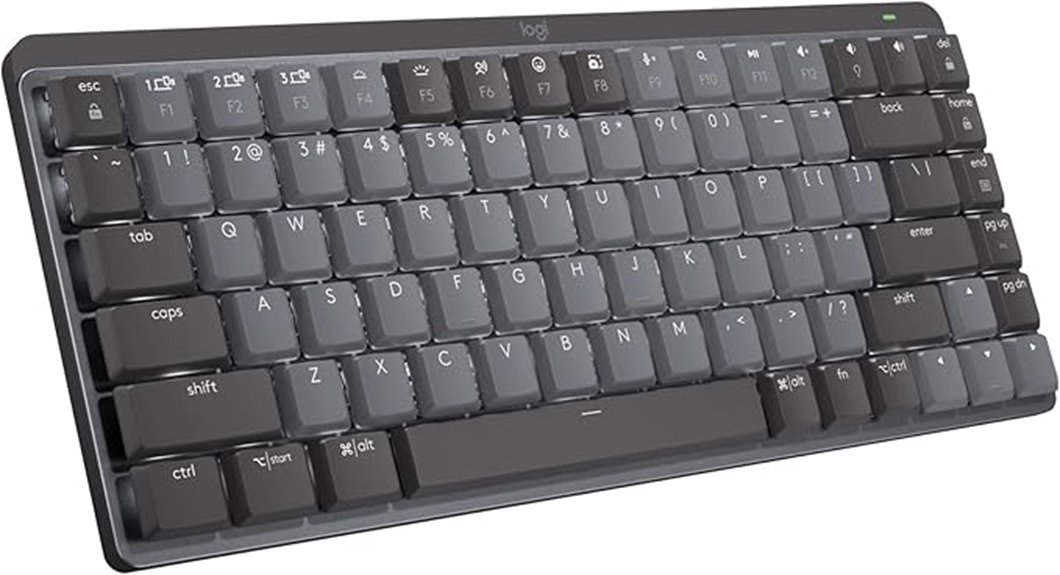
The Logitech MX Mechanical Mini Wireless Keyboard stands out for those who need a compact yet highly versatile keyboard that supports multiple devices effortlessly. Its mechanical switches provide satisfying tactile feedback and a gratifying click with each keystroke. The low-profile keys ensure comfort, while the compact design allows for precise typing in tight spaces. It supports up to three devices via Bluetooth or Logi Bolt, making multitasking seamless across macOS, Windows, Linux, iOS, and Android. With smart backlighting that adjusts automatically and customizable Fn keys, this keyboard combines durability with convenience. Its metal construction promises longevity, and quick USB-C charging keeps it ready for intensive workflows.
Best For: users who need a compact, durable, multi-device mechanical keyboard with customizable features for seamless multitasking across various operating systems.
Pros:
- Mechanical switches with tactile feedback and audible click enhance typing experience
- Supports up to three devices via Bluetooth or Logi Bolt for versatile connectivity
- Smart backlighting adjusts automatically and can be customized for personalized use
Cons:
- Smaller layout may reduce key size, potentially affecting users with larger hands
- Higher price point compared to membrane or membrane-mechanical hybrid keyboards
- Limited to a 15-day battery life with backlighting on, which may require frequent recharging
AULA F75 Pro Wireless Mechanical Keyboard

The AULA F75 Pro Wireless Mechanical Keyboard stands out as an ideal choice for gamers and professionals who need versatile connectivity and quick device switching. It offers tri-mode connectivity—Bluetooth 5.0, 2.4GHz wireless, and USB-C wired—supporting up to five devices simultaneously, easily switchable via shortcut keys or side button. Its compact 75% layout with 81 keys saves space while retaining essential functions like arrow keys. The hot-swappable switches and durable PBT keycaps make customization simple. With RGB backlighting, a multi-function control knob, and a sturdy build, the F75 Pro delivers high performance, style, and flexibility for work, gaming, or everyday use.
Best For: gamers and professionals seeking a versatile, space-saving wireless mechanical keyboard with customizable features and multi-device connectivity.
Pros:
- Supports tri-mode connectivity with easy device switching, compatible with multiple platforms including PC, consoles, and mobile devices.
- Hot-swappable switches and durable PBT keycaps allow for easy customization and long-lasting use.
- RGB backlighting with multiple effects and a multi-function control knob offer enhanced aesthetics and user control.
Cons:
- The compact 75% layout may lack dedicated function keys for some advanced users.
- Longer initial setup for driver customization and macro programming may be required.
- Heavy construction, while durable, may be less portable for on-the-go use.
RK ROYAL KLUDGE RK61 Wireless 60% Mechanical Keyboard
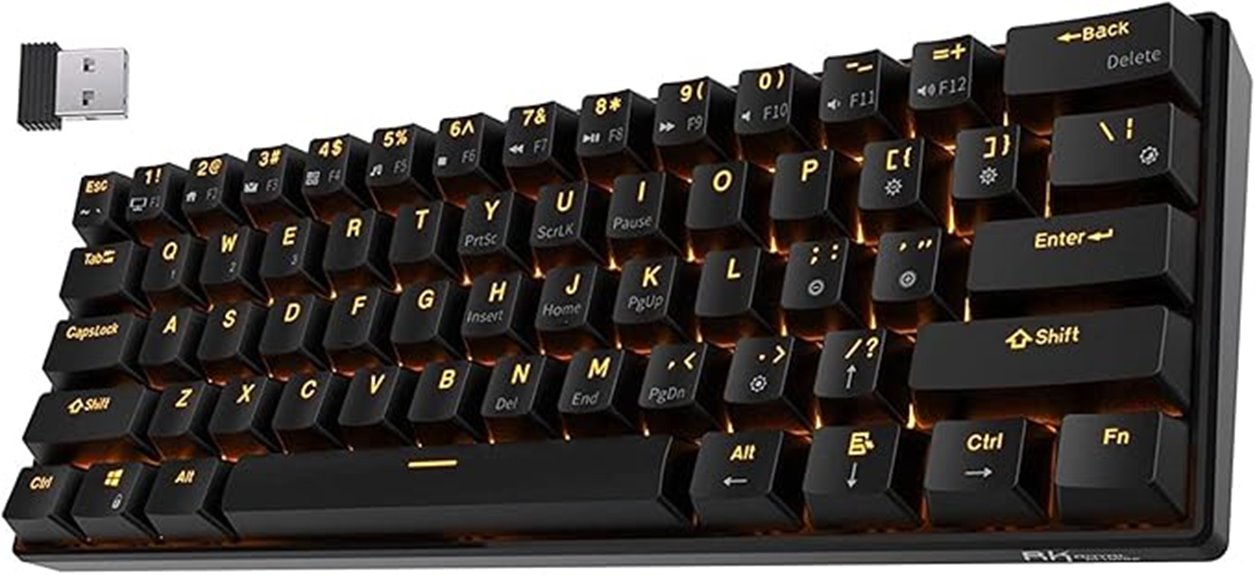
If you’re looking for a versatile and space-saving keyboard that can keep up with your multi-device workflow, the RK Royal Kludge RK61 Wireless 60% Mechanical Keyboard is an excellent choice. Its compact design omits a numpad and dedicated arrow keys but offers full arrow keys on a layer activated via FN+Enter. It supports Bluetooth 5.1, USB-C wired, and 2.4GHz wireless for seamless multi-device use. The hot-swappable switches, primarily Red switches rated for over 50 million keystrokes, let you customize easily. With dynamic amber backlighting, solid build quality, and a battery life of around 13 hours, it’s perfect for gaming, work, and portability.
Best For: users seeking a compact, multi-device wireless mechanical keyboard suitable for gaming, work, and portable setups.
Pros:
- Supports triple connectivity options: Bluetooth 5.1, wired USB-C, and 2.4GHz wireless for versatile device pairing.
- Hot-swappable switches allow easy customization without soldering, enhancing personalization.
- Compact 60% layout with dynamic backlighting and solid build quality, ideal for space-saving needs.
Cons:
- Lacks dedicated arrow keys and numpad, which may reduce convenience for some users.
- The audible click sound from tactile switches might be disruptive in shared or quiet environments.
- Some users report occasional keycap popping or non-functioning keys at high typing speeds.
Redragon K617 Fizz 60% Wired RGB Mechanical Gaming Keyboard
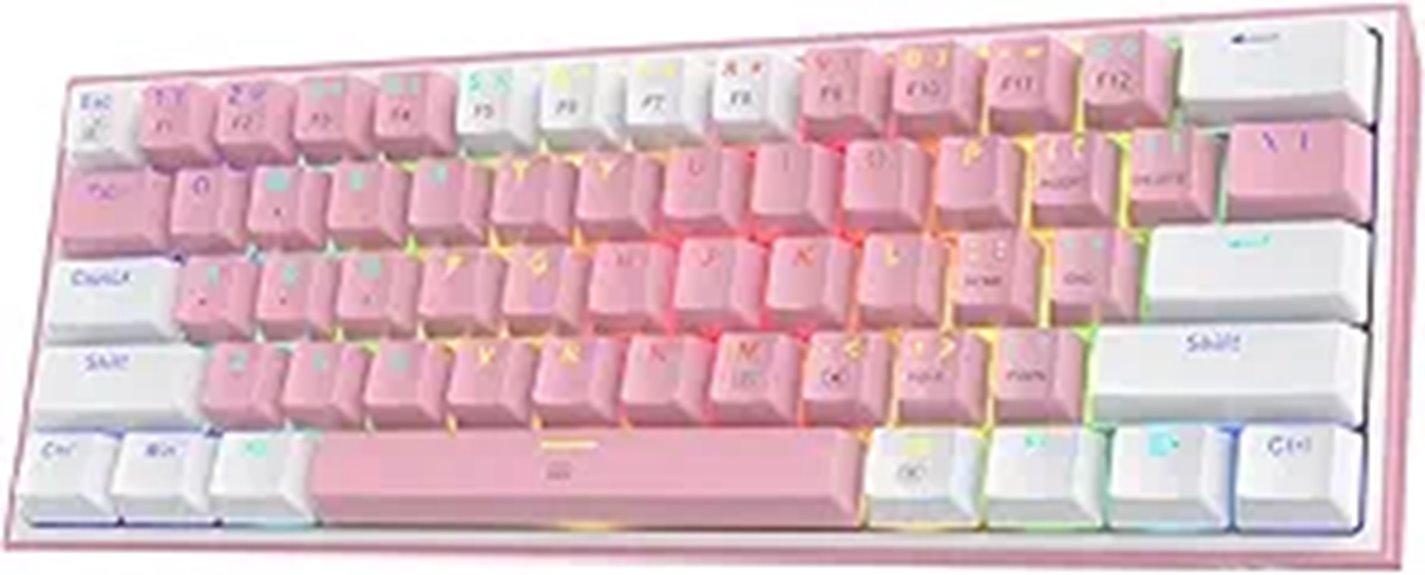
For gamers and professionals who need a compact keyboard that doesn’t compromise on style or performance, the Redragon K617 Fizz stands out with its sleek 60% layout and customizable RGB lighting. Its 61-key design maximizes desk space while supporting FPS gaming and efficient work. The quiet linear red switches deliver smooth, soft keystrokes, and the hot-swappable sockets let you customize or upgrade switches easily. With up to 20 preset lighting modes and adjustable effects, it’s easy to personalize your setup. Plus, dedicated software lets you create macros, keybindings, and effects, making this keyboard both versatile and stylish for any gaming or productivity environment.
Best For: gamers and professionals seeking a compact, stylish, and customizable keyboard that enhances gaming performance and productivity without sacrificing desk space.
Pros:
- Compact 60% layout maximizes desk space and supports ergonomic mouse movement
- Hot-swappable switches allow easy customization and upgrade options
- Up to 20 preset RGB lighting modes with adjustable effects for personalized setups
Cons:
- Limited number of keys may not suit users needing full keyboard functions
- Absence of dedicated macro keys could restrict advanced macro use
- Might require software setup for full customization, which could be less intuitive for some users
Factors to Consider When Choosing a Mechanical Keyboard Compact

When choosing a compact mechanical keyboard, I consider factors like size and layout to guarantee it fits my workspace and typing style. Switch types and connectivity options are also vital, as they affect feel and versatility. Additionally, I look at backlight customization and build quality to match my aesthetic preferences and durability needs.
Size and Layout
Choosing the right size and layout for a compact mechanical keyboard is essential because it directly affects both your workspace and how easily you can carry your keyboard around. Smaller layouts like 60% and 65% cut down on keys like function, navigation, and numpad, saving space but often requiring FN layers for extra functions. A 75% layout keeps most keys, including function and arrow keys, in a smaller footprint, offering a good balance of usability and compactness. TKL keyboards omit the numpad but retain navigation keys, making them a middle ground. Your choice impacts not only desk space but also your typing and gaming experience, as well as compatibility with accessories. Consider your workspace and how you prefer to use your keyboard to pick the best size and layout for you.
Switch Types
The type of mechanical switch you pick can dramatically influence your typing experience, especially on a compact keyboard where every keystroke counts. Linear switches, like Cherry MX Reds or Gateron Reds, offer smooth, quiet keystrokes without tactile bumps, making them perfect for gaming or quiet environments. Tactile switches, such as Cherry MX Browns or Gateron Browns, provide a noticeable bump at actuation, helping improve typing accuracy and feedback. Clicky switches, like Cherry MX Blues or Kailh Box Blues, produce audible clicks and tactile cues, favored by those who enjoy the sound and feel of traditional typing. Your choice impacts the feel, noise level, and overall comfort, so consider your preferences and use case carefully to find the best switch type for your compact keyboard.
Connectivity Options
Connectivity options play a crucial role in maximizing your compact mechanical keyboard’s versatility. Wired USB-C connections offer the most stable, low-latency input, perfect for gaming and professional tasks. Wireless modes like Bluetooth and 2.4GHz enable seamless switching between multiple devices, boosting portability and multi-device productivity. Many keyboards support tri-mode connectivity, letting you easily toggle among wired, Bluetooth, and wireless modes on the fly. This flexibility is especially useful if you switch between a laptop, tablet, or desktop. Keep in mind, compatibility across operating systems varies, so choosing a keyboard with broad multi-system support ensures it works smoothly with Windows, Mac, Linux, and mobile devices. Ultimately, your ideal connectivity setup depends on your priorities—whether stability, convenience, or device compatibility.
Backlight Customization
Backlight customization can profoundly enhance your typing experience by adding style and visibility to your keyboard, especially in low-light environments. Many compact mechanical keyboards offer customizable RGB or single-color backlighting, letting you pick from preset effects or create your own lighting patterns. You can usually adjust brightness, speed, and choose from modes like static, breathing, or dynamic effects. Some keyboards support software control, enabling you to design complex lighting effects, macros, and key-specific illumination for a tailored look. However, certain models have limited options, often restricted to basic preset effects without extensive customization. Compatibility with lighting effects varies; some keyboards only feature built-in effects, while others allow full control via dedicated software or hardware. Choose based on your desire for personalization and ease of use.
Build Quality
Choosing a compact mechanical keyboard with solid build quality is essential for durability and a satisfying typing experience. I look for keyboards made from high-quality materials like aluminum or reinforced plastics, which can handle daily use without warping or breaking. Sturdy mounting systems, such as gasket-mounted or plate-mounted designs, improve stability and reduce flex, making typing more precise. Good keycaps, like double-shot PBT or dye-sublimated ABS, resist wear and fading over time. Features like silicone gaskets, foam layers, or dampening pads help reduce noise and resonance, creating a more pleasant sound profile. Also, a well-assembled keyboard with secure screw joints and minimal flex ensures longevity and a premium feel, especially for portable setups or frequent travel.
Keycap Material
The material of your keycaps plays a crucial role in both the durability and feel of a compact mechanical keyboard. PBT keycaps are highly resistant to wear and shine, maintaining a matte finish and soft texture that enhances grip and minimizes fingerprint visibility. In contrast, ABS keycaps tend to develop a glossy surface over time, which can feel slippery and look worn. Double-shot keycaps are a smart choice if you want legends that never fade, as their two-layer construction makes them virtually impossible to wear off. Dye-sublimated keycaps use heat to infuse dye into the plastic, resulting in vibrant, fade-resistant legends perfect for long-term use. Additionally, PBT keycaps often produce a deeper, more muted sound compared to the higher-pitched click of some ABS options.
Programmability Features
Programmability features substantially impact how you can customize your compact mechanical keyboard to suit your workflow or gaming style. With these features, you can assign complex macros to single keys, streamlining repetitive tasks and boosting efficiency. Software support is vital, as it allows you to create, manage, and switch between custom profiles effortlessly, adapting your setup to different activities. Hot-swappable switches combined with programmability give you the flexibility to personalize both hardware and key functions. Without these features, you’re limited to default key settings, which can hinder productivity and gameplay customization. Choosing a keyboard with robust programmability ensures you’re not only optimizing your efficiency but also tailoring your device precisely to your needs, whether for work, gaming, or creative pursuits.
Battery Life
When selecting a compact mechanical keyboard, battery life often determines how freely I can move around without constantly searching for a charger. Longer battery life means I can work or play for days or even weeks without worrying about recharging. Some models feature high-capacity batteries, like 4000mAh, which can last up to a week of continuous use or longer with moderate activity. Backlighting can drain power quickly, so dimming or turning it off helps extend battery life considerably. Wireless keyboards, especially those using Bluetooth, tend to consume more power than wired ones, making efficient power management essential. Many come with features like automatic sleep modes or low-power components that help preserve battery life. Ultimately, balancing battery capacity and power-saving features is key for a truly portable, reliable compact keyboard.
Frequently Asked Questions
How Do Compact Keyboards Impact Typing Comfort Over Long Periods?
Compact keyboards can improve my typing comfort during long sessions because they reduce unnecessary movement, allowing my hands to stay closer together. I find them more ergonomic since they minimize strain on my wrists and shoulders. Plus, their smaller size helps me maintain better posture, preventing fatigue. Overall, I feel more efficient and comfortable, especially during extended typing periods, making them a great choice for sustained productivity.
Are There Specific Maintenance Tips for Compact Mechanical Keyboards?
I recommend regularly cleaning your compact mechanical keyboard by removing keycaps and gently washing them. Use compressed air to clear dust and debris from between switches and inside the case. Keep the switches lubricated if needed, and periodically check for loose keys. Also, avoid eating over your keyboard to prevent crumbs. These simple steps keep your keyboard functioning smoothly and extend its lifespan.
Can Compact Keyboards Support Custom Keycap Sets and Modifications?
Yes, compact keyboards often support custom keycap sets and modifications. I’ve found that most use standard layouts like ANSI or ISO, making it easy to swap keycaps for different colors, materials, or profiles. Plus, many models have hot-swappable switches, so I can change switches without soldering. Just make sure to check compatibility with your specific keyboard before purchasing any custom parts or modifications.
How Do Wireless Options Compare in Latency to Wired Compact Mechanical Keyboards?
Wireless compact mechanical keyboards generally have higher latency than wired ones, but recent advancements have minimized this gap. I’ve noticed that high-quality wireless models now offer very responsive performance, often with latency under 10ms, which is barely noticeable for most users. However, if you’re gaming or need ultra-low latency, wired keyboards still have the edge. For everyday typing and casual use, though, wireless options are perfectly adequate and offer great convenience.
What Are the Best Travel Cases or Protective Options for Portable Compact Keyboards?
I once dropped my compact keyboard during a trip, and thankfully, a sturdy silicone sleeve saved it from damage. For travel, I recommend cases like the Vortex Core or custom foam inserts that snugly fit your keyboard. Hard-shell cases provide excellent protection, while soft cases are lightweight and convenient. Think of these as armor for your gear—ensuring your keyboard arrives safe, no matter where your adventures take you.
Conclusion
So, after exploring these tiny titans of typing, it’s clear that size really doesn’t matter—until you need those extra keys. Whether you’re gaming, coding, or just trying to fit your keyboard into a crowded bag, these compact beauties prove that less can be more. Just don’t be surprised when you miss that one function key you didn’t think you’d need. Who knew minimalism could come with so many compromises, right?