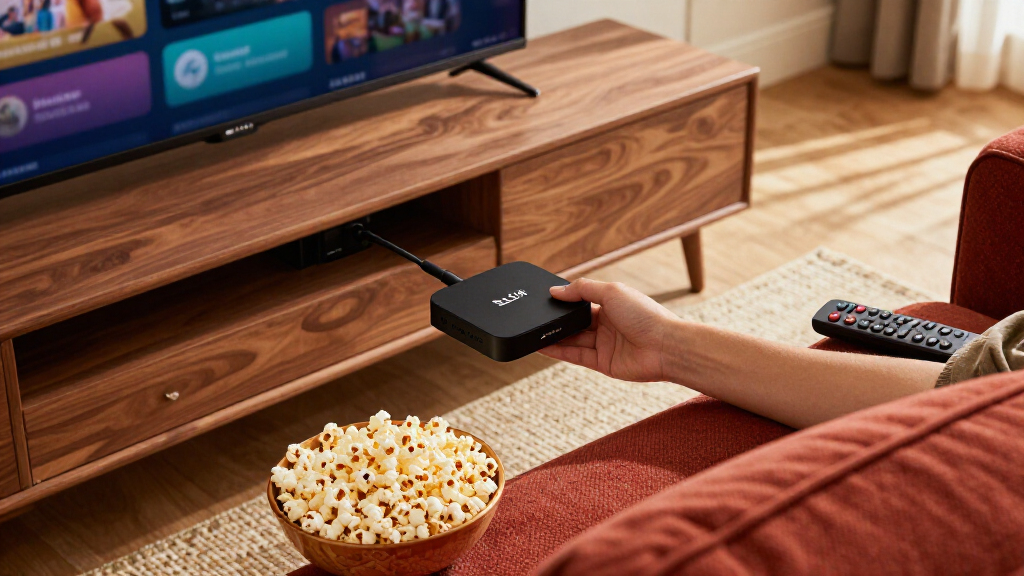

Amazon’s Fire TV lineup spans everything from a basic HD stick to a hands-free Alexa media hub, and the gaps between models matter more than the marketing suggests. The Fire TV Cube (3rd Gen) earns my best overall pick thanks to Wi-Fi 6E, fast app loading, and voice control that works without touching the remote. The Fire TV Stick 4K Max is the strongest pure streaming value, while the Stick HD covers 1080p TVs at the lowest cost. The main tradeoff you’ll face is power versus price — faster processors and Wi-Fi 6/6E only pay off on 4K TVs and busy home networks — plus whether you want gaming features or hands-free Alexa. Keep reading for the full breakdown.

Get the little things that make your day delivered free — and shop member deals
- Fast, free delivery on millions of items
- Access to Prime Big Deal Days deals on October 6–7
- Prime Video, Amazon Music and more included
Key Takeaways
- The amazon.com/dp/B0DJGDC3BD?tag=theearlierstuff-20&ascsubtag=dc-1108560″ target=”_blank” rel=”nofollow sponsored noopener”>amazon.com/dp/B0BP9SNVH9?tag=theearlierstuff-20&ascsubtag=dc-1108560″ target=”_blank” rel=”nofollow sponsored noopener”>amazon.com/dp/B0F7Z4QZTT?tag=theearlierstuff-20&ascsubtag=dc-1108560″ target=”_blank” rel=”nofollow sponsored noopener”>amazon.com/dp/B09TLFJ6JC?tag=theearlierstuff-20&ascsubtag=dc-1108560″ target=”_blank” rel=”nofollow sponsored noopener”>amazon.com/dp/B09BZZ3MM7?tag=theearlierstuff-20&ascsubtag=dc-1108560″ target=”_blank” rel=”nofollow sponsored noopener”>amazon.com/dp/B0H6C5KW2D?tag=theearlierstuff-20&ascsubtag=dc-1108560″ target=”_blank” rel=”nofollow sponsored noopener”>Fire TV Cube (3rd Gen) wins overall because its Wi-Fi 6E and faster processor deliver noticeably quicker app launches than any stick, and it is the only option here with hands-free Alexa.
- The Stick 4K Max and Stick 4K Plus are nearly twins; the Max pulls ahead for congested Wi-Fi households, while the Plus suits calmer networks for a bit less.
- The refurbished Cube is the smartest premium bargain — same hardware as new, with the only real risk being shorter return windows and cosmetic variability.
- The Stick HD remains viable only for 1080p TVs; buying it for a 4K set wastes the panel, since it lacks both 4K output and Wi-Fi 6.
- The Luna gaming bundle only makes sense if you will actually subscribe to Luna — otherwise the standalone Select stick delivers the same streaming experience.
| Fire TV Stick 4K Select + Luna Controller Game Streaming Bundle |  | Best for Luna Cloud Gaming | Included items: Fire TV Stick 4K Select, Luna Controller | Gaming service: Amazon Luna | Connectivity: Wi-Fi (Cloud Direct), Bluetooth | VIEW LATEST PRICE | See Our Full Breakdown |
| Amazon Fire TV Cube (3rd Gen) 4K Streaming Media Player with Alexa |  | Best Overall for a Connected TV Setup | Dimensions: 3.38 × 3.38 × 2.99 in (86 × 86 × 77 mm) | Weight: 513 g (1.13 lbs) | Processor: Octa-core: 4 × 2.2 GHz and 4 × 2.0 GHz | VIEW LATEST PRICE | See Our Full Breakdown |
| Amazon Fire TV Cube (Refurbished/Like-New) with Alexa, Wi-Fi 6E, and 4K Ultra HD |  | Best Refurbished Cube Pick | Condition: Like-new / refurbished | Processor: Octa-core | Connectivity: Wi-Fi 6E | VIEW LATEST PRICE | See Our Full Breakdown |
| Amazon Fire TV Stick 4K Plus with Wi-Fi 6 and Alexa Voice Remote |  | Best Value 4K Stick | Dimensions: 99 × 30 × 14 mm housing; 108 × 30 × 14 mm including connector | Weight: 43.5 g | Processor and GPU: Quad-core 1.7 GHz; GPU 650 MHz | VIEW LATEST PRICE | See Our Full Breakdown |
| Amazon Fire TV Stick 4K Max (2nd Gen) Streaming Device |  | Best Premium Stick | Dimensions: 99 × 30 × 14 mm housing; 108 × 30 × 14 mm including connector | Weight: 43.5 g | Processor and GPU: Quad-core 2.0 GHz; GPU 850 MHz | VIEW LATEST PRICE | See Our Full Breakdown |
| Amazon Fire TV Stick HD (Newest Model) with Alexa Voice Remote |  | Best Budget Pick for HD TVs | Resolution: Full HD (1080p) | Connectivity: Wi-Fi 6, Bluetooth | Power Source: TV USB port (Direct Power via USB-C) | VIEW LATEST PRICE | See Our Full Breakdown |
| Amazon Fire TV Stick 4K Select with Alexa Voice Remote |  | Best Entry-Level 4K Streaming | Output Resolution: 2160p, 1080p, 720p up to 60 fps | Processor: Quad-core 1.7 GHz | Storage: 8 GB | VIEW LATEST PRICE | See Our Full Breakdown |
| Amazon Fire TV streaming device | Dimensions | Wi-Fi | Audio |
|---|---|---|---|
| Fire TV Stick 4K Select + Luna | — | — | — |
| Amazon Fire TV Cube | 3.38 × 3.38 × 2.99 in (86 × 86 × 77 mm) | Wi-Fi 6E tri-band; 802.11a/b/g/n/ac/ax | Dolby Atmos, 7.1 surround sound, 2-channel stereo, HDMI passthrough up to 5.1 |
| Amazon Fire TV Cube | — | — | Dolby Atmos |
| Amazon Fire TV Stick 4K Plus w | 99 × 30 × 14 mm housing; 108 × 30 × 14 mm including connector | Dual-band Wi-Fi 6 (2.4 GHz and 5 GHz) | — |
| Amazon Fire TV Stick 4K Max | 99 × 30 × 14 mm housing; 108 × 30 × 14 mm including connector | Tri-band Wi-Fi 6E (2.4, 5, and 6 GHz) | — |
| Amazon Fire TV Stick HD | — | — | Bluetooth headphone support for private listening |
| Amazon Fire TV Stick 4K Select | 3.9 × 1.2 × 0.6 in (99 × 30 × 14 mm), 1.5 oz (42 g) | Dual-band, dual-antenna MIMO; 802.11a/b/g/n/ac | HDMI pass-through for Dolby-encoded audio (AC-3, E-AC-3, E-AC3_JOC) |
More Details on Our Top Picks
Fire TV Stick 4K Select + Luna Controller Game Streaming Bundle
This bundle is the clearest Fire TV pick for Luna gaming: it pairs a Fire TV Stick 4K Select with a Luna Controller so compatible games can stream to a TV without a console. Cloud Direct is intended to reduce controller delay, while the controller can also connect to other compatible devices over Bluetooth. Compared with the Fire TV Stick 4K Plus, which lists Xbox cloud gaming support, this bundle is specifically organized around Amazon Luna and includes its controller. That makes the choice easier if Luna is already part of your entertainment setup, but less flexible if you want a general-purpose game streaming bundle. Access to the full Luna library requires Prime or a Luna subscription, and play depends on a stable internet connection. I’d skip it if gaming is only an occasional extra.
Pros:- Includes both a Fire TV 4K streamer and Luna Controller
- Cloud Direct technology is designed for low-latency gameplay
- Controller also works with compatible devices over Bluetooth
- Prime members can access rotating games at no extra cost
Cons:- A Prime or Luna subscription is needed to access the game library
- Cloud gaming depends on a stable internet connection
- Its Luna focus may be less useful to buyers seeking Xbox cloud gaming
Best for: Fire TV buyers who want to play Luna cloud games on a TV without buying a console
Not ideal for: Viewers who mainly want a streaming stick or who lack reliable internet or a Prime or Luna subscription
- Included items:Fire TV Stick 4K Select, Luna Controller
- Gaming service:Amazon Luna
- Connectivity:Wi-Fi (Cloud Direct), Bluetooth
- Resolution:4K
- Subscription:Prime or Luna subscription required
- Cloud gaming:No game console required
Our verdict“Choose this bundle if Luna gaming on your TV matters more than getting the broadest choice of streaming services and game platforms.”
Amazon Fire TV Cube (3rd Gen) 4K Streaming Media Player with Alexa
The Fire TV Cube is the most capable all-around option here for a living room where streaming, voice control, and connected devices share one setup. Its octa-core processor, 16 GB storage, and Wi-Fi 6E give it more headroom than the Fire TV Stick 4K Max (2nd Gen), while HDMI input and output plus an IR extender help it work with cable boxes and other equipment. Hands-free Alexa can also control compatible smart home devices without reaching for the remote. Those additions make the Cube a better fit for a multi-device setup than the compact sticks. The tradeoff is its larger, separate box and the need for compatible equipment to benefit from 4K and HDR. If you only need a straightforward HDMI stick, the Fire TV Stick 4K Plus is simpler.
Pros:- Octa-core processor and 16 GB internal storage
- Wi-Fi 6E tri-band connectivity
- HDMI input and output plus IR extender for connected equipment
- Hands-free Alexa with Dolby Vision and Dolby Atmos support
Cons:- Larger standalone unit than the Fire TV sticks
- 4K and HDR playback depends on compatible equipment and service availability
- Streaming services may require separate subscriptions
Best for: Viewers connecting a Fire TV player with a cable box, game console, or Alexa-compatible smart home
Not ideal for: Buyers who want a compact, simple HDMI stick and do not need hands-free Alexa or extra device connections
- Dimensions:3.38 × 3.38 × 2.99 in (86 × 86 × 77 mm)
- Weight:513 g (1.13 lbs)
- Processor:Octa-core: 4 × 2.2 GHz and 4 × 2.0 GHz
- Storage and memory:16 GB internal storage, 2 GB memory
- Wi-Fi:Wi-Fi 6E tri-band; 802.11a/b/g/n/ac/ax
- Ports:HDMI 2.1 input and output, IR extender, USB-A 2.0, 10/100 Mbps Ethernet, power
- Video:4K Ultra HD, Dolby Vision, HDR10, HDR10+, HLG; up to 60 fps
- Audio:Dolby Atmos, 7.1 surround sound, 2-channel stereo, HDMI passthrough up to 5.1
- Voice control:Built-in microphones and speakers; Alexa Voice Remote or Fire TV app
Our verdict“Pick the Cube if you want a fast 4K streamer that can also serve as a hands-free Alexa hub for connected entertainment equipment.”
Amazon Fire TV Cube (Refurbished/Like-New) with Alexa, Wi-Fi 6E, and 4K Ultra HD
This refurbished Cube keeps the higher-end Fire TV feature set in play, including an octa-core processor, Wi-Fi 6E, hands-free Alexa, 4K video, Dolby Vision, and Dolby Atmos. It suits buyers who want Cube-style performance and smart home control but are comfortable choosing a like-new unit. Compared with the new Amazon Fire TV Cube (3rd Gen), the main distinction in the supplied details is the refurbished condition; the listing says it carries the same limited warranty as a new device. That can make this a sensible way to get the Cube form factor, but packaging may be generic, and buyers should check the seller’s exact listing for the included contents. Like the new Cube, it is more equipment than a viewer needs if a basic stick covers their streaming needs.
Pros:- Octa-core processor and Wi-Fi 6E connectivity
- Hands-free Alexa with a privacy disconnect switch
- Supports 4K, Dolby Vision, HDR, and Dolby Atmos
- Listing states the same limited warranty as a new device
Cons:- Refurbished units may arrive in generic packaging
- Most streaming services require separate subscriptions
- A Cube may be more device than viewers who only need basic streaming require
Best for: Buyers seeking Cube features who are comfortable purchasing a refurbished, like-new device with the stated limited warranty
Not ideal for: People who require a brand-new unit or want the compact simplicity of a Fire TV stick
- Condition:Like-new / refurbished
- Processor:Octa-core
- Connectivity:Wi-Fi 6E
- Video:4K Ultra HD, Dolby Vision, HDR
- Audio:Dolby Atmos
- Voice assistant:Hands-free Alexa with built-in microphone
- Warranty:Same limited warranty as new device
Our verdict“Choose this refurbished Cube if you want hands-free Alexa and high-end 4K features and accept a like-new unit.”
Amazon Fire TV Stick 4K Plus with Wi-Fi 6 and Alexa Voice Remote
The Fire TV Stick 4K Plus covers the core 4K streaming features in a compact stick, with Dolby Vision, HDR10+, Dolby Atmos, Wi-Fi 6, and Alexa voice search. That makes it a straightforward upgrade from the Amazon Fire TV Stick HD for buyers with a 4K television and a compatible router. Compared with the Fire TV Stick 4K Max (2nd Gen), it has 8 GB rather than 16 GB of storage and Wi-Fi 6 rather than Wi-Fi 6E, so the Max has more room for apps and access to the 6 GHz band on a compatible network. The Plus also lists Xbox cloud gaming support, which broadens its use beyond video. Its 4K and HDR benefits depend on the TV, service, and region, and Wi-Fi 6 only helps with a compatible router.
Pros:- 4K Ultra HD with Dolby Vision and HDR10+ support
- Dolby Atmos audio support
- Wi-Fi 6 and Alexa voice remote included
- Supports Xbox cloud gaming with Xbox Game Pass
Cons:- 8 GB storage is half the Fire TV Stick 4K Max (2nd Gen)’s listed capacity
- Wi-Fi 6 benefits require a compatible router
- 4K and HDR availability varies by equipment, service, and region
Best for: 4K TV owners who want HDR and Atmos support, Alexa control, and Xbox cloud gaming in a compact streamer
Not ideal for: Buyers who want 16 GB storage or Wi-Fi 6E, or whose TV and router cannot use the listed capabilities
- Dimensions:99 × 30 × 14 mm housing; 108 × 30 × 14 mm including connector
- Weight:43.5 g
- Processor and GPU:Quad-core 1.7 GHz; GPU 650 MHz
- Storage:8 GB
- Wi-Fi:Dual-band Wi-Fi 6 (2.4 GHz and 5 GHz)
- Bluetooth:Bluetooth 5.2 + BLE
- Ports:HDMI 2.1 output with ARC input support; micro USB
- Video formats:Dolby Vision, HDR10, HDR10+, HLG, H.265, H.264, VP9, AV1; up to 2160p at 60 fps
- Audio and voice:Dolby Atmos; Alexa Voice Remote included; Fire TV app supported
Our verdict“Choose the 4K Plus if you want the core 4K and HDR experience with Alexa and Xbox cloud gaming in a small stick.”
Amazon Fire TV Stick 4K Max (2nd Gen) Streaming Device
The 4K Max is the premium stick for buyers who want more capacity and newer wireless support without moving to a Cube. Its 16 GB storage doubles the Fire TV Stick 4K Plus‘s listed 8 GB, giving apps and games more room, while Wi-Fi 6E adds a 6 GHz band on a compatible router. Dolby Vision, HDR10+, Dolby Atmos, and an enhanced Alexa remote round out a strong everyday setup. Compared with the Amazon Fire TV Cube (3rd Gen), the Max stays small and does not list the Cube’s HDMI input, IR extender, or hands-free microphones. Its quad-core processor is also distinct from the Cube’s octa-core design. Wi-Fi 6E requires a suitable router, so its wireless advantage is less useful on older networks.
Pros:- 16 GB storage for apps and games
- Tri-band Wi-Fi 6E includes the 6 GHz band
- 4K, Dolby Vision, HDR10+, and Dolby Atmos support
- Enhanced Alexa remote can control compatible TVs and audio devices
Cons:- Wi-Fi 6E requires a compatible router
- Does not list the Cube’s HDMI input or hands-free microphone and speaker setup
- Streaming services and some content require separate subscriptions
Best for: 4K streamers with a Wi-Fi 6E router who install apps or games and prefer a compact HDMI stick
Not ideal for: Buyers with older Wi-Fi routers or anyone who needs the Cube’s hands-free Alexa and connections for other devices
- Dimensions:99 × 30 × 14 mm housing; 108 × 30 × 14 mm including connector
- Weight:43.5 g
- Processor and GPU:Quad-core 2.0 GHz; GPU 850 MHz
- Storage:16 GB
- Wi-Fi:Tri-band Wi-Fi 6E (2.4, 5, and 6 GHz)
- Bluetooth:Bluetooth 5.2 + BLE
- Ports:HDMI 2.1 output with ARC input support; micro USB
- Video formats:Dolby Vision, HDR10, HDR10+, HLG, H.265, H.264, VP9, AV1; up to 2160p at 60 fps
- Audio and voice:Dolby Atmos; Alexa Voice Remote Enhanced included; Fire TV app supported
Our verdict“Choose the 4K Max if you want the most storage and Wi-Fi capability among these sticks in a compact 4K streamer.”
Amazon Fire TV Stick HD (Newest Model) with Alexa Voice Remote
Not every TV needs 4K muscle, and this is where the Fire TV Stick HD earns its spot. This option stands out as the fastest HD-only stick in the lineup, thanks to Wi-Fi 6 support that keeps streaming stable even on crowded home networks — something the older Fire TV Stick 4K Select can’t match with its dual-band 802.11ac radios. The Direct Power feature is a genuine quality-of-life upgrade: it draws power over USB-C straight from your TV, so there’s no wall adapter competing for outlet space behind the console.
The tradeoff is obvious once you compare it to the Fire TV Stick 4K Max (2nd Gen). If your television supports 4K or HDR, this stick caps you at Full HD, and you’d be leaving picture quality on the table. But for a bedroom set, a spare TV, or an older 1080p panel, paying for 4K hardware would be wasted capability.
Pros:- Wi-Fi 6 delivers the fastest, most stable streaming of any HD-only Fire TV stick
- Direct Power over USB-C eliminates the need for a separate wall adapter
- Compact design stays out of the way of neighboring HDMI ports
- Bluetooth headphone support enables private late-night viewing
Cons:- Capped at Full HD — no 4K or HDR support at all
- Most premium apps still require their own paid subscriptions
Best for: Owners of 1080p or 720p TVs who want fast, reliable streaming with minimal setup clutter
Not ideal for: Anyone with a 4K or HDR television — the resolution ceiling wastes your TV’s capabilities, making the 4K Max or Stick 4K Plus a better fit
- Resolution:Full HD (1080p)
- Connectivity:Wi-Fi 6, Bluetooth
- Power Source:TV USB port (Direct Power via USB-C)
- Remote:Alexa Voice Remote
- Interface:Fire TV OS (2026 update with Alexa+)
- Audio:Bluetooth headphone support for private listening
- Supported Apps:Prime Video, Netflix, YouTube, Disney+, Apple TV, HBO Max, Hulu, Peacock, Paramount+
Our verdict“If your TV tops out at 1080p, this is the smart, clutter-free way to make it a smart TV without paying for resolution you can’t display.”
Amazon Fire TV Stick 4K Select with Alexa Voice Remote
The 4K Select occupies the value rung on the 4K ladder. It delivers genuine 4K Ultra HD with HDR10+ support, which means noticeably richer contrast and color on compatible TVs — a real step up from the Fire TV Stick HD if you’ve upgraded your panel. Compared with the pricier Fire TV Stick 4K Plus and 4K Max (2nd Gen), the differences are more subtle: those models add Wi-Fi 6 and faster processors, while the Select relies on dual-band MIMO Wi-Fi 5 and a capable quad-core 1.7 GHz chip.
Where this pick over-delivers is versatility. Xbox cloud gaming support means a Game Pass subscription and a controller turn a basic TV into a casual gaming station — a feature the HD stick can’t offer at full quality. The short 90-day limited warranty is the sting here, and router placement matters more since older Wi-Fi standards are less resilient on congested networks.
Pros:- True 4K Ultra HD output with HDR10+ and broad codec support including AV1
- Xbox cloud gaming turns any TV into a gaming setup with a controller
- Alexa Voice Remote controls compatible TVs and soundbars, cutting remote clutter
- Access to free, ad-supported content alongside major subscription apps
Cons:- Dual-band Wi-Fi 5 lacks the network resilience of Wi-Fi 6 models like the 4K Plus
- Only a 90-day limited warranty, shorter than many competing streaming devices
- Cloud gaming requires a separate Game Pass subscription and compatible controller
Best for: First-time 4K streamers who want HDR10+ picture quality and casual cloud gaming without paying premium-stick prices
Not ideal for: Households with busy networks or large homes — the lack of Wi-Fi 6 makes the Stick 4K Plus a more reliable choice for buffer-free 4K
- Output Resolution:2160p, 1080p, 720p up to 60 fps
- Processor:Quad-core 1.7 GHz
- Storage:8 GB
- Wi-Fi:Dual-band, dual-antenna MIMO; 802.11a/b/g/n/ac
- Bluetooth:Bluetooth 5.0 and Bluetooth Low Energy
- HDR Support:HDR10, HDR10+, HLG
- Audio:HDMI pass-through for Dolby-encoded audio (AC-3, E-AC-3, E-AC3_JOC)
- Dimensions:3.9 × 1.2 × 0.6 in (99 × 30 × 14 mm), 1.5 oz (42 g)
- Warranty:90-day limited warranty and service
Our verdict“This is the most sensible 4K entry point if you want HDR picture quality and gaming potential without stepping up to premium-stick pricing.”

How We Picked
I ranked these devices around four factors that actually change day-to-day streaming: processing speed (how quickly apps launch and menus respond), wireless capability (Wi-Fi 5 versus 6 versus 6E, which matters most in homes with many connected devices), output quality (1080p versus 4K, HDR format support), and extras like hands-free Alexa or bundled gaming hardware. A device that boots apps fast on a crowded network beats one with identical picture quality but constant buffering, so performance weighted heavily in ordering.
Placement also reflected who each device serves. The Cube family sits on top because it does everything the sticks do and adds hands-free control. Mid-tier sticks are ordered by networking and speed differences, while the Stick HD lands last only because its ceiling is 1080p — not because it is poorly built. The Luna bundle was judged on whether its extra hardware justifies itself for typical streamers versus cloud-gaming fans.
| Amazon Fire TV streaming device | Wi-Fi | Audio |
|---|---|---|
| Fire TV Stick 4K Select + Luna | — | — |
| Amazon Fire TV Cube | Wi-Fi 6E tri-band; 802.11a/b/g/n/ac/ax | Dolby Atmos, 7.1 surround sound, 2-channel stereo, HDMI passthrough up to 5.1 |
| Amazon Fire TV Cube | — | Dolby Atmos |
| Amazon Fire TV Stick 4K Plus w | Dual-band Wi-Fi 6 (2.4 GHz and 5 GHz) | — |
| Amazon Fire TV Stick 4K Max | Tri-band Wi-Fi 6E (2.4, 5, and 6 GHz) | — |
| Amazon Fire TV Stick HD | — | Bluetooth headphone support for private listening |
| Amazon Fire TV Stick 4K Select | Dual-band, dual-antenna MIMO; 802.11a/b/g/n/ac | HDMI pass-through for Dolby-encoded audio (AC-3, E-AC-3, E-AC3_JOC) |
Factors to Consider When Choosing Amazon Fire TV Streaming Devices
Before picking a specific model, it helps to understand what actually separates Fire TV devices — and where buyers commonly overspend or underspend. These are the factors I would weigh first.Match the Device to Your TV’s Resolution
The most common mistake is buying an HD stick for a 4K television — you permanently cap your picture quality to save a small amount, and you also miss out on the faster processors Amazon reserves for its 4K models. Conversely, pairing a Wi-Fi 6E Cube with a 1080p set wastes its best features. Start with your panel, not the price tag. If your TV is 4K and HDR-capable, every stick from the 4K Select upward makes sense; if it is 1080p, the Stick HD is genuinely all you need. A future-proof middle path is the Stick 4K Select if you might upgrade the TV within a couple of years.
Wi-Fi 6 and 6E Matter More Than You Think
Wireless capability is the hidden differentiator in this lineup. Wi-Fi 5 sticks hold up fine in apartments with a handful of devices, but in a household full of smart TVs, phones, laptops, and consoles, Wi-Fi 6 reduces buffering and keeps 4K streams stable. Wi-Fi 6E goes further by using the less-crowded 6 GHz band — but only helps if your router supports it. Check your router before paying for 6E; otherwise the standard 4K Max delivers most of the benefit. This single spec explains much of the price ladder between otherwise similar sticks.
Do You Need Hands-Free Alexa?
Only the Cube responds to voice commands without you holding a remote button, which turns it into a genuine smart-home hub — controlling lights, cameras, and receivers from the couch. If your Fire TV will anchor an Alexa-equipped home, the Cube’s premium is easier to accept. If Alexa is a novelty you will rarely use, a stick with a voice remote covers 90% of the same functionality for less. Be honest about your habits here, because hands-free convenience is the Cube’s main justification beyond raw speed.
Weigh Refurbished Against New Carefully
Amazon’s renewed devices use the same hardware as new units, and a refurbished Cube can be the sharpest value in this entire roundup. The tradeoffs are practical rather than technical: cosmetic imperfections are possible, packaging is plain, and return policies can differ from new-unit purchases. If you are comfortable with those caveats, refurbishing effectively upgrades you a tier for the same money. Buyers who value peace of mind, gift-giving, or long exchange windows should still buy new.
Gaming Bundles Only Pay Off With a Subscription
The Luna controller bundle is appealing on paper, but cloud gaming requires an ongoing Luna subscription, and its game library is modest compared with console or PC options. Before choosing it, ask whether you would still want the stick if you cancelled the subscription — if the answer is no, buy the standalone Stick 4K Select and add a controller later. The bundle makes sense for casual gamers who want frictionless cloud play on the big screen without a console. Everyone else is paying for hardware they will not use.
Remote Differences Are Smaller Than They Seem
Nearly every current Fire TV device includes an Alexa Voice Remote with power and volume buttons for your TV, so you can usually retire your television’s remote entirely. The practical differences between remotes in this lineup come down to minor conveniences like dedicated channel or app shortcuts rather than core functionality. Do not let remote marketing drive your decision — processing speed and Wi-Fi capability affect your experience far more. Any lost Fire TV remote can also be found via the Alexa app, which levels the field further.
Frequently Asked Questions
Is the Fire TV Cube worth it over the Stick 4K Max?
If you value speed and hands-free control, yes — the Cube’s faster processor launches apps noticeably quicker, and its Wi-Fi 6E support keeps streams stable on busy networks. It is also the only device in this lineup that responds to Alexa without pressing a remote button, which turns it into a smart-home command center. That said, the picture quality on the Stick 4K Max is essentially identical on a 4K TV. If hands-free Alexa does not appeal to you and your network is not congested, the Max delivers most of the Cube’s streaming experience for less.
What is the difference between the Stick 4K, Stick 4K Plus, and Stick 4K Max?
All three output 4K with HDR support, so the differences are under the hood. The standard 4K Select is the entry point with a capable but slower processor and Wi-Fi 5. The Plus adds Wi-Fi 6 and a faster chip, which shows up as snappier menus and steadier streams on busy networks. The Max pushes further with the fastest stick processor and Wi-Fi 6E, making it the pick for large households or anyone who hates waiting for apps to load. If you have fewer than ten connected devices at home, the Plus hits the sweet spot.
Should I buy a refurbished Fire TV Cube or pay full price for a new one?
The hardware inside a refurbished Cube is the same as a new unit, so performance is not the concern — the differences are around the edges. Expect possible minor cosmetic wear, plainer packaging, and potentially different return or warranty terms depending on the seller. For a living-room device that hides behind your TV, those tradeoffs are usually easy to accept, and the savings can effectively move you up a performance tier. If you are gifting the device or want maximum peace of mind, buying new remains the safer route.
Can the Fire TV Stick HD handle a 4K TV?
It will work, but it caps output at 1080p, so your 4K panel never shows its full resolution — and HDR support is limited as well. The Stick HD also lacks Wi-Fi 6, which can mean more buffering in device-heavy homes. On a genuinely 1080p television it is a perfectly capable streamer, and paying more there buys speed you may not notice. But if a 4K TV is in your near future, spending slightly more on a 4K stick now avoids buying twice.
Do I need the Luna controller bundle to play games on Fire TV?
No — many Fire TV devices support casual games with the standard Alexa remote, and cloud gaming apps can sometimes pair with other Bluetooth controllers. The bundle’s real advantage is a purpose-built, low-latency controller that connects directly to Wi-Fi rather than through the stick, which reduces lag noticeably in fast-paced games. It is worth the bundle only if you plan to keep a Luna subscription active; the service requires ongoing payment to access its library. Casual streamers who game occasionally are better off with a standalone stick.
Conclusion
The right Fire TV device depends less on specs and more on your TV, your network, and how you use Alexa. For best overall, the Fire TV Cube (3rd Gen) is the pick — fastest performance, Wi-Fi 6E, and hands-free voice control in one box. The refurbished Cube takes best premium value for buyers comfortable with renewed hardware. For best value overall, the Stick 4K Max leads, with the Stick 4K Plus close behind on calmer networks. The Stick HD is my best beginner pick for 1080p TVs and first-time streamers who want simplicity. And for a specific need, the Luna bundle stands alone for cloud gamers ready to subscribe. Whatever you choose, matching the device to your TV’s resolution first will save you the most regret.
NFL season / tailgating Picks
team gear
As an affiliate, we earn on qualifying purchases.