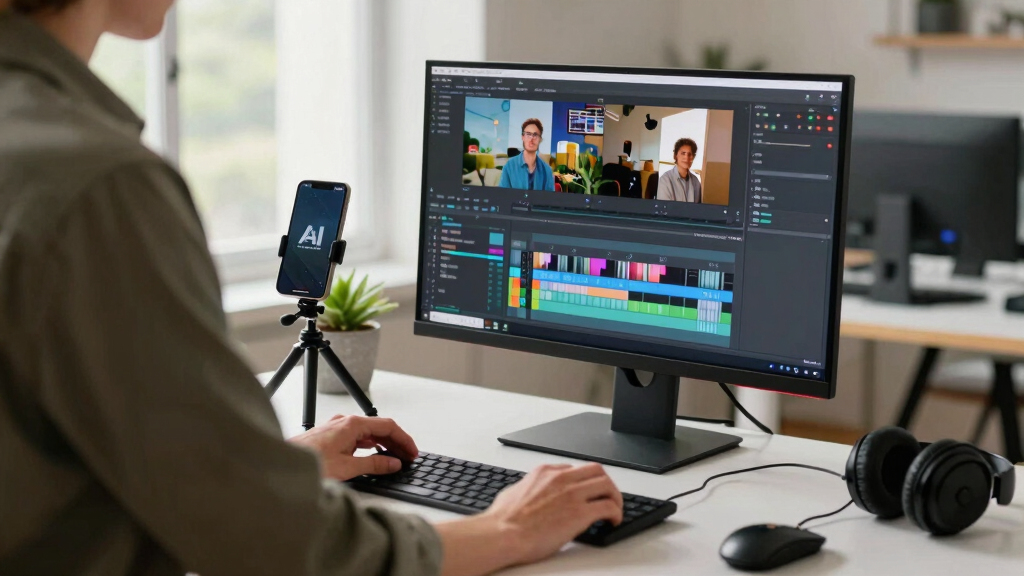

TL;DR
A local-first, AI-assisted workflow transforms one video into a complete publishing kit—clips, captions, social posts, and more—without needing cloud services. It saves time, cuts costs, and keeps your data private, making content repurposing faster and more secure.
Imagine finishing a video and within minutes, having a full set of assets ready to publish—clips for TikTok, detailed transcripts, social media posts, blog drafts, and thumbnails. No waiting, no cloud dependencies, just your own hardware working in the background.
This isn’t a futuristic dream. It’s the promise of local-first, AI-powered video repurposing tools now becoming a real choice for creators, marketers, and organizations. The big win? You keep control over your data, cut costs, and speed up your entire publishing process.
Key Takeaways
- Local AI tools can generate an entire publishing kit from one video—clips, captions, social posts—without relying on cloud services.
- Processing on your own hardware enhances privacy, reduces long-term costs, and speeds up workflow dramatically.
- A typical pipeline involves ingesting, understanding, extracting, and exporting assets in minutes, not hours.
- Your hardware setup should match your video volume and quality needs for smooth operation.
- Choosing local-first solutions gives you full control over your data and assets, ideal for sensitive or proprietary content.
![WavePad Audio Editing Software - Professional Audio and Music Editor for Anyone [Download]](https://m.media-amazon.com/images/I/B1fcLEGCs6S._SL500_.png)
WavePad Audio Editing Software – Professional Audio and Music Editor for Anyone [Download]
- Professional audio editing: Record and edit music and voice
- Audio effects: Add echo, noise reduction, reverb, and more
- Wide format support: Supports WAV, MP3, FLAC, OGG, and more
As an affiliate, we earn on qualifying purchases.
As an affiliate, we earn on qualifying purchases.
Why One Video Creates a Mountain of Work — And How to Cut Through It
Turning a single video into multiple assets is a grind. Think about all the steps: transcribe, clip, write captions, draft social posts, create thumbnails, and then publish across platforms. Each step demands manual effort, which adds hours—sometimes days—to your workflow.
For example, a 20-minute interview could generate 10 different social clips, a detailed blog draft, and multiple captioned videos. Doing all that manually can easily eat up a full day, especially if you’re juggling multiple videos a week.
AI tools that process everything locally can turn this chaos into a smooth pipeline. They analyze the video’s content, extract key moments, generate assets, and prepare everything for publishing—fast, private, and cost-effective. This automation reduces the repetitive labor, freeing creators to focus on refining content and strategy rather than getting bogged down in manual editing. The tradeoff, however, is ensuring the AI’s accuracy and contextual understanding—sometimes manual oversight is necessary to fine-tune or verify assets, especially for complex or nuanced content.

Kaisi Professional Electronics Opening Pry Tool Repair Kit Metal Spudger
- Complete 20-piece pry tool set: For smartphones, tablets, and electronics
- Durable stainless steel construction: Ensures long-lasting use
- Includes plastic and steel pry tools: Versatile tools for various repairs
As an affiliate, we earn on qualifying purchases.
As an affiliate, we earn on qualifying purchases.
The Power of Local AI: Fast, Private, and Cost-Saving
Local AI means all processing happens on your own hardware—no cloud servers, no third-party storage. This approach keeps your footage private and reduces the risk of leaks or breaches. Plus, it cuts recurring costs; no subscription fees mean long-term savings.
Take a mid-sized media team: instead of paying hundreds monthly for cloud services, they run a dedicated workstation or server with AI tools. Over a year, that saves thousands—money that can go into content production instead. This shift can also influence how quickly teams respond to breaking news or trending topics, as faster processing enables more agile publishing strategies.
And the speed? Local processing eliminates the lag caused by uploading files to distant servers. Your assets are generated in minutes, not hours, which means faster turnaround times and more agility for your publishing calendar. However, this requires investment in suitable hardware and some technical know-how to optimize performance. The tradeoff is upfront cost versus ongoing subscription fees, with the latter potentially adding up over time and constraining flexibility in scaling operations.


IPHONE 17 PRO CAMERA USER GUIDE: The Complete Manual For Beginners & Seniors To Master The Camera Features With Advanced Photography, Video Editing, Portrait Modes, Night Shots, & Setting For Photos
As an affiliate, we earn on qualifying purchases.
As an affiliate, we earn on qualifying purchases.
How a Single Video Turns Into a Publishing Kit — The Step-by-Step Breakdown
Here’s how a local AI system like ChannelHelm works in four simple steps:
- Ingest: Drop your video file or paste a URL. The system detects the source and starts analyzing immediately.
- Understand: Multiple layers kick in—transcription with speaker tags, scene detection, on-screen text recognition, and content fusion. It’s like your video gets a detailed map that highlights key moments and context, enabling more accurate asset generation.
- Extract: The AI generates titles, descriptions, clips, summaries, and social posts based on the key moments flagged during analysis. This step involves complex interpretation—turning raw video data into meaningful, platform-ready assets that reflect the content’s essence.
- Export: All assets are assembled into a publishing kit—ready for review, editing, and publishing, all stored locally.
This process takes minutes, not hours, and keeps everything on your hardware, giving you total control. The real strength here is how automation accelerates the content pipeline, similar to this approach, but it also requires a clear understanding of your content’s nuances to ensure the AI’s outputs meet your standards.


GME PG-28 Portable Video Test Pattern Generator for TV and NTSC Monitor, Designed and Engineered in The USA
- Multi-purpose TV and monitor testing: Test, calibrate, and troubleshoot video equipment
- Variety of test patterns: Includes 8 common video test patterns
- Color options for patterns: Choose from multiple color schemes
As an affiliate, we earn on qualifying purchases.
As an affiliate, we earn on qualifying purchases.
What Outputs Can You Expect? A Full Suite of Assets from Just One Video
Local AI tools turn a single recording into a comprehensive set of assets, including:
- Multiple clips tailored for TikTok, Instagram Reels, and Shorts
- transcripts with speaker labels and captions
- Engaging titles and descriptions scored for effectiveness
- Thumbnail concepts pulled from highlight moments
- Blog drafts and newsletter summaries
- Social media posts optimized for each platform
For example, a webinar can produce a 2-minute highlight clip, a detailed blog outline, and social copy for LinkedIn, Twitter, and Facebook—all from one upload. The implications are significant: it allows creators to repurpose content rapidly across multiple channels, maximizing reach and engagement without exponentially increasing workload. Learn more about this process at this site.

What to Expect From a Local-First Workflow — Real-Life Tips
Expect a balance of AI-driven automation and human review. The system drafts assets, but you review and tweak them. For instance, a generated title might get a score, but you can edit it for tone or clarity. For more insights on managing AI workflows, visit this site.
Hardware matters. A mid-range workstation with a decent GPU can handle 4K videos smoothly, but longer recordings may need more RAM or storage. The key? Your setup should match your video volume and quality needs. To learn more about hardware options, check out this site.
Compatibility is also vital. Look for tools supporting common file formats, multiple languages, and captions, so your workflow stays flexible regardless of project scope. Considering integration capabilities with your existing editing or publishing platforms can streamline the entire process, reducing manual steps and potential errors.

Cloud vs Local: Which Fits Your Workflow Best?
| Feature | Cloud-Based Tools | Local-First Tools |
|---|---|---|
| Privacy | Dependent on provider; data stored off-site | Complete control; data stays on your hardware |
| Cost | Subscription fees often add up | One-time hardware investment, no recurring fees |
| Speed | Dependent on upload/download speeds | Instant processing; no internet lag |
| Flexibility | Accessible from anywhere | Requires local setup, but more control |
Choosing depends on your priorities: privacy and control favor local, while ease of access leans toward cloud. Many hybrid options exist, but for sensitive content, local is often the safer choice. The implications are significant: local solutions require more upfront technical investment but offer peace of mind and data sovereignty, whereas cloud solutions prioritize ease but at the potential cost of security and ongoing expenses.

Who Gets the Most Out of a Local AI Publishing Kit?
Creators handling sensitive or proprietary content will love the privacy and control. Educational institutions can process videos on-site without exposing student data. Media teams aiming for rapid turnaround without cloud fees find this approach a game-changer.
For example, a security company recording daily surveillance footage can generate incident summaries and clips without risking data leaks, all stored securely on-site. This approach minimizes exposure and complies with strict data privacy regulations, which is crucial in sectors like healthcare, finance, or government.
Solo creators and small teams also benefit, especially those working in regions with limited internet or who prioritize ownership over their assets. The tradeoff is that they need to manage their own infrastructure and stay updated on software maintenance, but the reward is full control and security over their content pipeline.

Your Next Step: Making the Shift to Local AI Video Publishing
If you’re ready to cut cloud dependency and speed up your workflow, start by exploring tools like [ChannelHelm](https://channelhelm.com/). It runs on your hardware, keeps your footage private, and automates much of the repurposing process.
Test it with a small project first. Notice how much faster you can turn raw footage into publish-ready assets, and how much control you regain. This initial testing phase helps you evaluate hardware needs, workflow adjustments, and potential integration points—ensuring a smoother transition.
Remember: automation does not replace your judgment. It’s a tool to make your work faster, smarter, and safer. The future of content publishing is local, private, and powered by AI—are you ready to make the switch?
Frequently Asked Questions
What exactly counts as a “publishing kit”?
A publishing kit includes all assets needed to publish and promote your video: clips for social media, transcripts, titles, descriptions, thumbnails, summaries, and metadata—all generated from the original footage.
Yes. Local AI tools can produce clips for different platforms, generate captions and transcripts, craft titles and descriptions, suggest thumbnails, and even help draft blog posts and social media updates—automatically from your source video.
How is it different from cloud video tools?
The main difference is that processing and storage happen on your hardware, not in the cloud. This means better privacy, no subscription fees, faster turnaround, and full control over your content.
What hardware is required to run it locally?
A mid-range workstation with a decent GPU (like an RTX 3060 or better), sufficient RAM (16GB+), and ample storage will handle most videos. For higher-resolution or longer recordings, more robust setups may be needed.
Does it need an internet connection after setup?
Not necessarily. Once installed and configured, most local AI tools can operate offline, processing videos entirely on your machine. An internet connection might be needed for initial setup or updates.
Conclusion
Owning your content pipeline starts with controlling where and how your videos are processed. Local AI tools like ChannelHelm put the power back in your hands—faster, safer, and more cost-effective than ever.
Imagine the next time you finish a video, and within moments, it’s ready for every platform, all built on your hardware. That’s the future. Are you ready to take it?