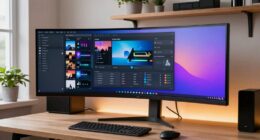
One common mistake that makes your standing desk setup uncomfortable is neglecting ergonomic accessories and proper posture adjustments. Just standing more isn’t enough—without tools like anti-fatigue mats, monitor stands, and keyboard trays, you risk strain, fatigue, and discomfort. Poor setup encourages leaning forward or craning your neck, which can lead to long-term issues. To improve your comfort and productivity, it’s essential to learn how ergonomic tools and correct posture work together. Keep exploring to discover how to optimize your workspace.
Key Takeaways
- Neglecting ergonomic accessories like monitor stands and anti-fatigue mats leads to poor posture and discomfort.
- Assuming standing alone improves comfort without proper support increases fatigue and musculoskeletal strain.
- Failing to adjust accessories for optimal positioning causes neck, back, and leg pain over time.
- Ignoring ergonomic principles results in misaligned posture and long-term health issues.
- Not regularly assessing and correcting posture diminishes the benefits of a standing desk setup.
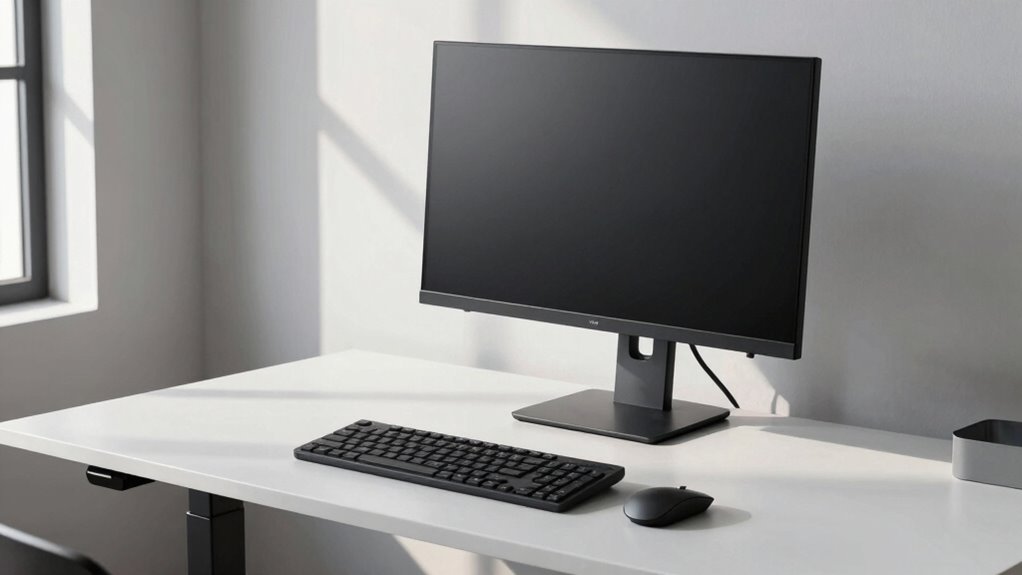
Have you ever thought that switching to a standing desk automatically boosts your productivity and health? While standing desks can offer numerous benefits, there’s a common mistake that can make your setup less comfortable and even counterproductive. That mistake involves neglecting proper ergonomic accessories and posture correction strategies. Many people assume that simply standing more is enough, but without the right accessories, you risk strain, fatigue, and discomfort.
Simply standing more isn’t enough; ergonomic accessories and posture awareness are key to comfort and productivity.
First, it’s essential to invest in ergonomic accessories like an anti-fatigue mat, keyboard tray, and monitor stand. These tools help you create a supportive environment that encourages good posture. For example, an anti-fatigue mat reduces pressure on your feet and legs, preventing fatigue if you’re standing for long periods. A well-positioned monitor, ideally at eye level, prevents neck strain and promotes posture correction. Without these accessories, you might find yourself leaning forward or craning your neck, which leads to discomfort and long-term musculoskeletal issues. Incorporating ergonomic principles into your workspace can further enhance your setup and reduce the risk of injury. Additionally, understanding proper ergonomic design can help you optimize your entire workspace for comfort and efficiency. Being aware of ergonomic guidelines ensures you’re making adjustments that support your body’s natural alignment and reduce fatigue. Recognizing posture awareness as part of your daily routine can also significantly improve your comfort and prevent aches. Regularly assessing your posture can help you make timely corrections and prevent discomfort.

The Standing Desk Mat – Topo by Ergodriven | Premium Not-Flat Anti-Fatigue Standing Desk Mat with Calculated Terrain | Ultra-Thick Deluxe Comfort Foam, Durable, PVC-Free | Accessories | Obsidian Black
CRITICAL STANDING DESK ACCESSORY – If you have a standing desk, you need a standing desk mat. Why?…
As an affiliate, we earn on qualifying purchases.
As an affiliate, we earn on qualifying purchases.
Frequently Asked Questions
How Often Should I Switch From Standing to Sitting?
You should switch from standing to sitting every 30 to 60 minutes to avoid fatigue and maintain good posture. Use ergonomic accessories like cushioned mats and adjustable desks to support your posture adjustments. Regularly alternating positions helps reduce strain on your back, neck, and legs. Pay attention to how your body feels, and don’t hesitate to make quick adjustments to stay comfortable and promote better overall health during work.
What Are the Best Anti-Fatigue Mats for Standing Desks?
Did you know that using an anti-fatigue mat can reduce fatigue by up to 50%? For your standing desk, choose the best anti-fatigue mats with ergonomic accessories and anti-slip features. Look for options with cushioned support, textured surfaces, and non-slip bottoms to prevent accidents. These mats improve comfort, reduce strain, and promote safety during long standing periods, making your workspace more ergonomic and enjoyable.
Can Poor Posture at a Standing Desk Cause Long-Term Health Issues?
Poor posture at a standing desk can lead to long-term health issues like back pain, neck strain, and joint problems. You should make ergonomic adjustments to guarantee proper alignment and stay posture aware throughout the day. Regularly checking your stance and making small tweaks can prevent these issues, helping you avoid discomfort and potential chronic conditions. Staying mindful of your posture is key to a healthier, more comfortable standing desk experience.
What Are Signs My Standing Desk Setup Is Uncomfortable?
If your standing desk setup feels uncomfortable, you might notice signs like neck strain, back pain, or aching feet. Your body could be telling you that your desk height adjustment isn’t right or that ergonomic accessories are missing, like a footrest or anti-fatigue mat. Pay attention to these signals and adjust your desk height accordingly, ensuring your monitor is at eye level and your posture remains supported for long-term comfort.
How Can I Improve Blood Circulation While Standing?
To improve blood circulation while standing, use ergonomic accessories like anti-fatigue mats and adjustable footrests to shift your weight and reduce strain. Choose supportive footwear with cushioned soles and proper arch support to keep your feet comfortable. Regularly change your standing position, stretch, and take short breaks to promote better blood flow. These habits help prevent discomfort and boost circulation, making your standing desk experience more comfortable.

WALI Computer Monitor Stand for Desk, Adjustable Laptop Riser, Desk Monitor Stand Underneath Storage for Office, Home, School Supplies (STT003), 1 Pack, Black
Design: The monitor stand for the desk has a large 14.6 x 9.3 inches metal shelf that fits…
As an affiliate, we earn on qualifying purchases.
As an affiliate, we earn on qualifying purchases.
Conclusion
Avoid falling into the common trap of neglecting your desk’s ergonomics, or you’ll find your setup turning into a ticking time bomb for discomfort. When you ignore proper posture, it’s like trying to steer a ship without a rudder — chaos is inevitable. Keep your workspace aligned and your body happy, or you’ll be sailing toward pain. Remember, a well-adjusted desk isn’t just a setup; it’s your ticket to comfort and productivity.

HUANUO Keyboard Tray Under Desk, 360 Adjustable Ergonomic Sliding Keyboard & Mouse Tray, Under Desk Keyboard Tray Slide Out, Keyboard Holder Under Desk for Typing in Home, Office Work, 25"W x 9.84"D
Large & Perfect Size – Full size keyboard drawer with a 25” x 9.84” , please kindly confirm…
As an affiliate, we earn on qualifying purchases.
As an affiliate, we earn on qualifying purchases.

chislim Sitting Posture Corrector for Kids,Student Desktop Writing Board with Book Stand,Height Adjustable,Prevent Myopia,Fits Most Study Tables (Pink)
HIGH QUALITY MATERIAL- This children's sitting correction board is sturdy and durable, made of high quality plastic +…
As an affiliate, we earn on qualifying purchases.
As an affiliate, we earn on qualifying purchases.