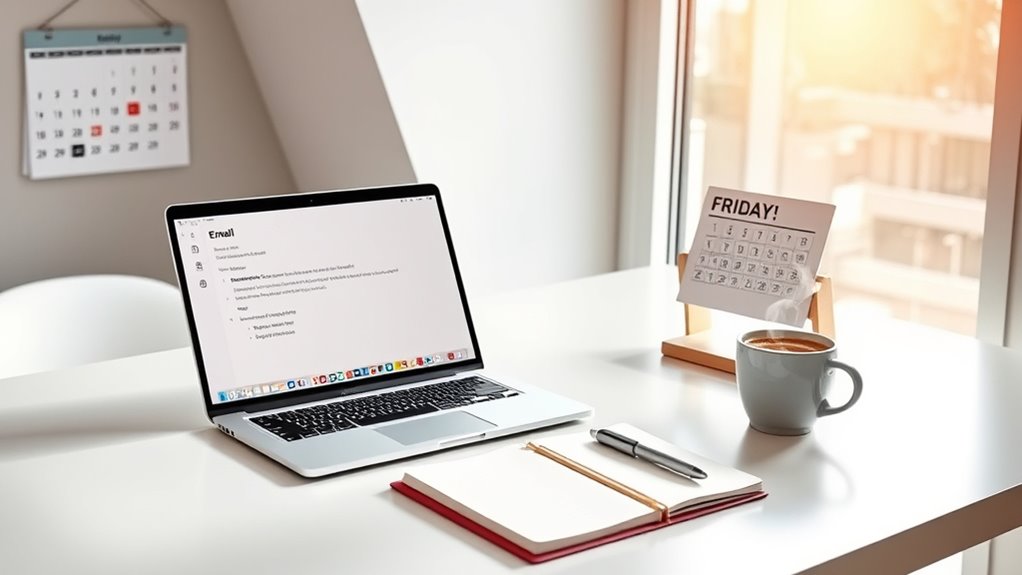

The Zero Inbox Method helps you regain control over your email chaos by setting aside dedicated, distraction-free time to sort, respond, and organize your messages. Prioritize critical emails first, handle quick replies right away, and categorize others for later action. Regularly check your inbox to keep it manageable and reduce stress. This approach enhances your productivity and focus. Stick around to discover more tips for maintaining that empty inbox by Friday!
Play games included with Prime
Start a Prime free trial and play with Amazon Luna on your devices.
As an affiliate, we earn on qualifying purchases.
Key Takeaways
- Set aside dedicated time for focused email management, free from distractions, to tackle your inbox effectively.
- Prioritize critical emails first, responding promptly to urgent matters and delegating less important messages when possible.
- Apply the two-minute rule: immediately address emails that require less than two minutes to respond to minimize backlog.
- Organize remaining emails into categories like “Action Required” or “Read Later” to streamline future management and retrieval.
- Establish a routine for regular inbox maintenance to sustain a zero inbox status and reduce stress over time.

Have you ever felt overwhelmed by a cluttered inbox? You’re not alone. Many people struggle with managing their emails, leading to stress and decreased productivity. The Zero Inbox Method can help you regain control, allowing you to clear out your inbox by Friday and maintain it moving forward. By implementing email prioritization and a few productivity hacks, you can transform your email experience.
Start by taking a deep breath and mentally preparing yourself. Set aside dedicated time for this task, ideally in a distraction-free environment. You’ll want to approach your inbox with a clear goal: to sort, respond, and organize every email you see. Begin with email prioritization. Identify the most critical emails that require immediate attention. These might include messages from your boss, clients, or deadlines. Don’t get sidetracked by less important emails or notifications; focus on what truly matters first.
Once you’ve identified the priority emails, it’s time to take action. Respond to these messages promptly. Keep your responses concise and clear. If an email requires a detailed reply that would take too long, consider scheduling a time to address it later or even picking up the phone to resolve it quickly. Remember, the goal is to keep your inbox manageable, so don’t hesitate to delegate tasks or forward emails when necessary.
After tackling the prioritized emails, shift your focus to the less pressing ones. Use productivity hacks like the two-minute rule: if an email takes less than two minutes to address, do it immediately. For more complex emails, categorize them into folders based on their urgency and importance. You can create labels like “Action Required,” “Follow Up,” or “Read Later.” This organization system will keep you focused and ensure nothing slips through the cracks. Additionally, consider employing strategies like high refresh rates for managing your time more effectively, similar to how gamers optimize their setups.
Finally, set a routine. Dedicate time each day or week to manage your inbox. Regularly check for new emails and apply the same prioritization methods you used during your initial clean-up. This consistency will help you maintain that zero inbox status and keep your stress levels down.
In just a few days, you’ll see the benefits of the Zero Inbox Method. With a cleaner inbox, your mental clarity will improve, allowing you to focus on what truly matters. Embrace these strategies, and you’ll find yourself more productive and less overwhelmed, ready to tackle your day with confidence.
As an affiliate, we earn on qualifying purchases.
Frequently Asked Questions
Can I Use the Zero Inbox Method for Text Messages Too?
Absolutely, you can use the zero inbox method for text messages! Just like with email, effective message management is key. Start by organizing your texts into categories based on urgency and importance. Set aside specific times to respond, delete, or archive messages. By prioritizing your replies and clearing out unnecessary texts, you’ll maintain better inbox organization. You’ll feel more in control and less overwhelmed with a tidy messaging space!
How Long Does It Typically Take to Achieve a Zero Inbox?
Achieving a zero inbox can take anywhere from a few hours to several days, depending on your email prioritization and inbox organization skills. Think of it like preparing for a big exam; the more you prepare, the smoother the process. By tackling emails in chunks and establishing a consistent routine, you can streamline your efforts. With dedication, you’ll find yourself steering to that coveted empty inbox faster than you might expect!
What Tools Can Assist in Maintaining a Zero Inbox?
To maintain a zero inbox, you can use email filtering tools to categorize and prioritize messages. Setting up rules in your email client can automatically sort incoming emails, reducing clutter. Additionally, productivity apps like Todoist or Trello can help you manage tasks and deadlines, ensuring you don’t miss anything important. By combining these tools, you’ll streamline your workflow and keep your inbox organized, making it easier to achieve that empty inbox goal.
Is the Zero Inbox Method Suitable for Team Environments?
Yes, the zero inbox method can be highly effective in team environments. In fact, 70% of employees report improved productivity when emails are organized. By implementing shared inbox management, you foster better team collaboration and guarantee everyone stays on the same page. You’ll find that regular check-ins and clear guidelines help maintain that zero inbox goal, making it easier for your team to tackle tasks efficiently and keep communication streamlined.
How Do I Handle Spam Emails Effectively?
To handle spam emails effectively, start by using spam filtering tools provided by your email service. Regularly check your spam folder to make certain no important emails were mistakenly filtered. Practice good email hygiene by unsubscribing from unwanted newsletters and marking spam when you see it. Additionally, avoid sharing your email address publicly to reduce spam. Keeping your inbox clean helps you focus on important messages and stay organized.
desk organizer for email management
As an affiliate, we earn on qualifying purchases.
As an affiliate, we earn on qualifying purchases.
Conclusion
By adopting the Zero Inbox Method, you can transform your email management and reduce stress in just a few days. Did you know that nearly 60% of people feel overwhelmed by their inbox? You don’t have to be one of them! By following the steps outlined in this guide, you’ll not only achieve an empty inbox by Friday but also gain more control over your time and productivity. Start today, and watch your stress melt away!
noise-canceling headphones for focus
As an affiliate, we earn on qualifying purchases.
As an affiliate, we earn on qualifying purchases.
As an affiliate, we earn on qualifying purchases.
NFL season / tailgating Picks
team gear
As an affiliate, we earn on qualifying purchases.